Your YouTube learning, published

From what you watch to what you publish.

Follow the channels you learn from. Every video transcribed and broken down. Then turn the best ideas into posts for X and LinkedIn, in your voice, ready to publish.

✓Every transcript, searchable
✓Drafts for X and LinkedIn, sourced and timestamped
✓Works with Claude and Cursor (MCP)
✓15 free credits to start, no card

What FeedToMind keeps for every video

Three views for every video. Real screens, real channels.

Alex Hormozi, How to Win (At Anything) · 00:54

Impress the future version of you.

Winning is defined as impressing the future version of you, because if you are at the top, you cannot compare yourself to people you are already beating: you get complacent.

FeedToMind's current breakdown view with chronological points and timestamps. Illustrative demo data.
The breakdown. Every point, in order, with its timestamp. View full size

You have learned a lot on YouTube. Almost none of it gets published.

Hours of talks and tutorials, and all that remains is a watch-later list.

FeedToMind turns them into text you own, then into posts you publish.

Follow channels, add videos. Imported in bulk, one library.
Transcribed and broken down. With timestamps and action plans.
Publish it. Drafts for X and LinkedIn in your voice, or ask Claude and Cursor to use your library.
One library, many teachers

The best channels in the world, in one system your AI can read.

Hormozi for business, Huberman for health, Y Combinator for startups, Tony Robbins for mindset. Every video transcribed and broken down, in one library, ready to be reused.

FeedToMind's current library, followed channels and imported videos. Illustrative demo data.
Actual app

Real screens of the app. Public channels shown as examples of what you can follow; no affiliation or endorsement. See all eight use cases

The product

Everything you learn on YouTube, in one place your AI can read.

01 / Import

Follow a channel, import its best videos in one go.

Sort by newest, oldest or most viewed, skip the Shorts, fetch them in one batch.

✓Up to 100 videos per import
✓Already imported? Skipped.
The import window for TED-Ed: 25 recent videos requested, the ten already in the library skipped, fifteen selected for fifteen credits.
02 / Breakdown

Every point of the video, in order, with timestamps.

Each idea, number and example, restated in order. Not a summary.

✓40 minutes of video, 3 minutes of reading
✓The transcript one tab away
Breakdown of Sam Altman's talk How to Succeed with a Startup (Y Combinator): chronological bullet points with timestamps.
03 / Action plan

Turn a video into a to-do list.

Every recommendation, written as a concrete step, in order.

✓First plan included with every video
✓Copy it into Notion or Linear
Action plan generated from Alex Hormozi's How to Win (At Anything): a summary, then concrete steps written in the imperative.
04 / Library

Channels, folders, search.

One library for everything you import. Find any idea again.

✓Search every transcript and breakdown
✓Copy a whole channel's transcripts at once
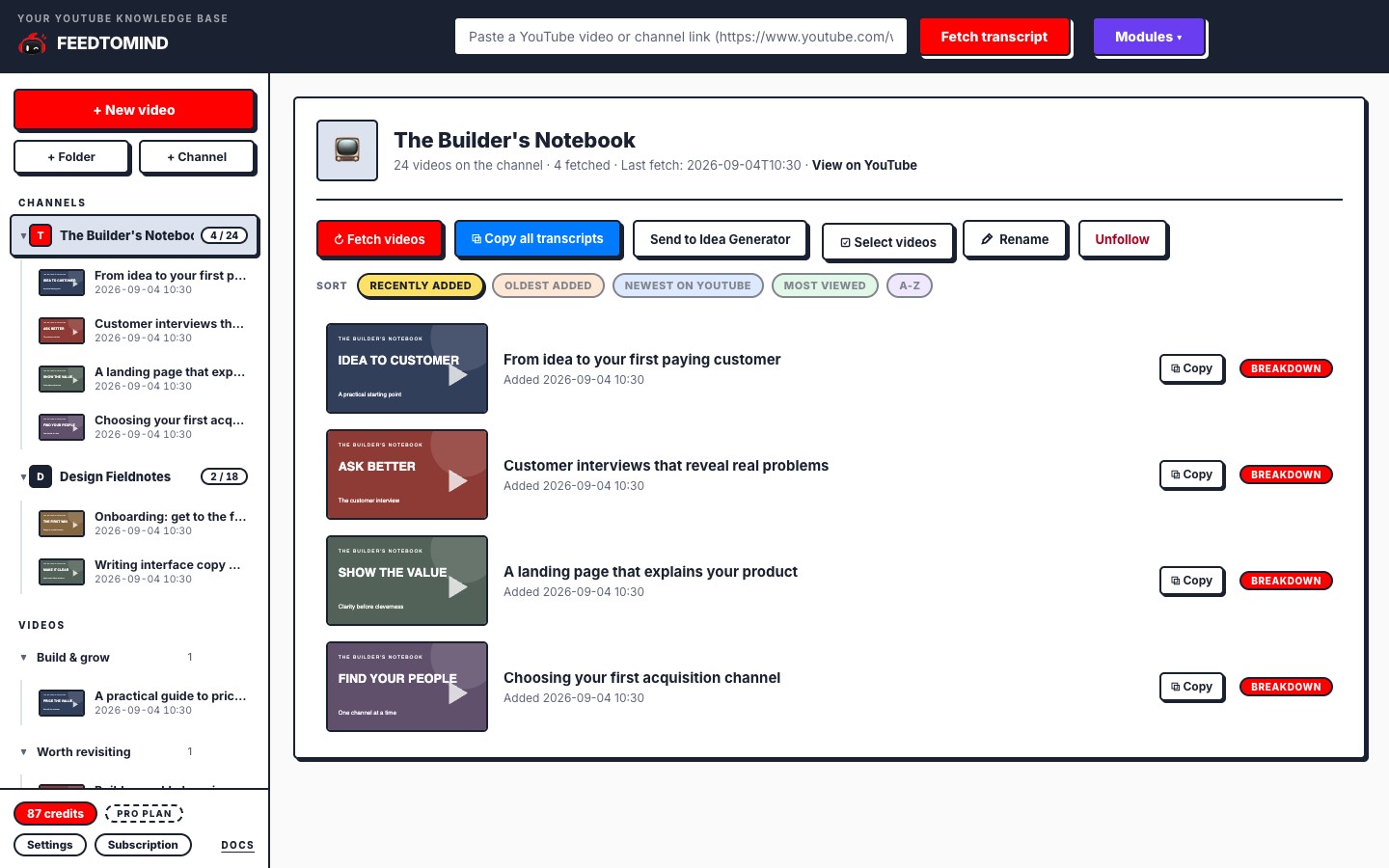
The library sidebar with six followed channels next to TED-Ed's channel page listing its imported videos with their thumbnails.
05 / Language

Breakdowns in your language.

Watch in any language, read in yours. 110 languages.

✓Set once, or per request via the API
✓Default: the video's own language
The language settings: English selected, a search field, and chips for popular and all languages in their native names.
06 / API and MCP

Ask Claude or Cursor to use what you learned.

Pro includes an API and an MCP server. Your assistant reads your library and applies it to your work.

"Take the pricing strategy from these three talks and adapt it to my product."
✓One key, one minute
✓Claude, Cursor, any MCP client
The API and MCP settings with two keys, Claude Desktop and Cursor, and the button to create another.

Real screens of the app, real public channels. No affiliation or endorsement.

Coming soon with the Creator plan

Your week, already written.

The channels you follow post new videos. FeedToMind transcribes them, breaks them down, and writes three drafts for your networks, in your voice, before your week starts.

Monday morning, a digest lands in your inbox: what came out, what was written, one click to open each draft. You read, adjust, publish.

✓Three drafts a week, from the videos you would have watched anyway
✓Every draft sourced: the video, the timestamp
✓Strategies that already worked for your account
✓Nothing publishes without you
New videos, picked up for you. Every week, from the channels you watch.
Three drafts, written in your voice. Posts, threads or carousels, using your best strategies.
One email, Monday morning. Open a draft, adjust, publish. Then log what it did.
7
Days free
on every plan
1
Credit per
standard video
100
Credits per month
on Pro

Two plans today. Two more on the way.

Seven days free with the plan's full credits. Nothing charged before day 8.

Starter

$9 / month

A few videos a week.

  • 30 credits a month, 3 channels
  • Breakdowns, transcripts, action plans
  • Folders and search
  • Unused credits roll over one month
Pro, for a deeper workflow

$19 / month

A real knowledge base, plus content generators, API and MCP.

  • 100 credits a month, unlimited channels
  • Everything in Starter
  • Idea Generator, X and LinkedIn drafts from your library
  • Claude and Cursor via MCP, plus the API
  • Bring your own AI keys
Creator, coming soon

$39 / month

Your week, already written.

  • 250 credits a month, unlimited channels
  • Everything in Pro, every network
  • Weekly pipeline: three drafts and a digest, every week
  • Your voice, extracted from your own posts
  • Results tracking: see which strategies work for you
Agency, coming soon

$99 / month

Several brands, one team.

  • 700 credits a month, shared
  • Everything in Creator
  • Up to 10 profiles, one voice and pipeline each
  • 5 seats for your team
  • Results per profile, ready for client reporting

Credits: 1 per video, 2 over one hour, 1 per post, 2 per thread, carousel or article. Reading and copying are free. Trial: card required, cancel from the app. Creator and Agency: planned launch prices.

Questions people ask before signing up

What do I actually do with it once videos are in my library?

Read the breakdowns, search everything, generate action plans. On Pro, connect Claude or Cursor: your assistant reads your library and applies it to your work.

How is this different from a YouTube summary?

A breakdown keeps every idea, example and recommendation with its timestamp. The original transcript stays next to it.

Which videos can I use?

Videos with captions. If no transcript can be saved, the credit is refunded.

Do new channel videos import automatically?

Not yet. You choose when to import, how many videos and in which order. The weekly pipeline of the Creator plan, coming soon, will pick up new videos from the channels you watch and write three drafts a week.

Does FeedToMind publish to X or LinkedIn for me?

No. Every draft is checked, then you open it on the network with the text pre-filled, or copy it. Nothing publishes without you.

What happens after the free trial?

Your plan's credits are available right away. Billing starts on day 8 unless you cancel from the app.

Can I use my own AI keys?

Yes, on Pro. Add your provider key in Settings: those requests use no credits. Fair use: 500 imports a month.

How do Claude and Cursor access my library?

Create an API key in Settings and add the MCP server to your assistant. See the docs.

Stop rewatching. Start publishing.

Seven days free, from $9/month, cancel anytime.